Atom: Difference between revisions
(add Usage paragraph) |
(re-add footer) |
||
| Line 2: | Line 2: | ||
An all around NSIS language package for GitHub's new [http://atom.io/ Atom] editor | An all around NSIS language package for GitHub's new [http://atom.io/ Atom] editor | ||
=== Grammar === | === Grammar === | ||
| Line 57: | Line 56: | ||
This package comes with support for [http://atom.io/packages/atom-runner atom-runner] to let you compile scripts within Atom. Once atom-runner is installed, you can use the default shortcut <kbd>Ctrl</kbd>+<kbd>R</kbd> to compile open scripts. Make sure to save new scripts before trying to compile them. | This package comes with support for [http://atom.io/packages/atom-runner atom-runner] to let you compile scripts within Atom. Once atom-runner is installed, you can use the default shortcut <kbd>Ctrl</kbd>+<kbd>R</kbd> to compile open scripts. Make sure to save new scripts before trying to compile them. | ||
== Links == | |||
* [https://github.com/idleberg/language-nsis GitHub]<br /> | |||
[[Category:Syntax_Highlighting]] | |||
Revision as of 12:24, 16 September 2015
Description
An all around NSIS language package for GitHub's new Atom editor
Grammar
Syntax highlighting of all commands in NSIS versions 2.46 & 3.0b1 and their included plug-ins
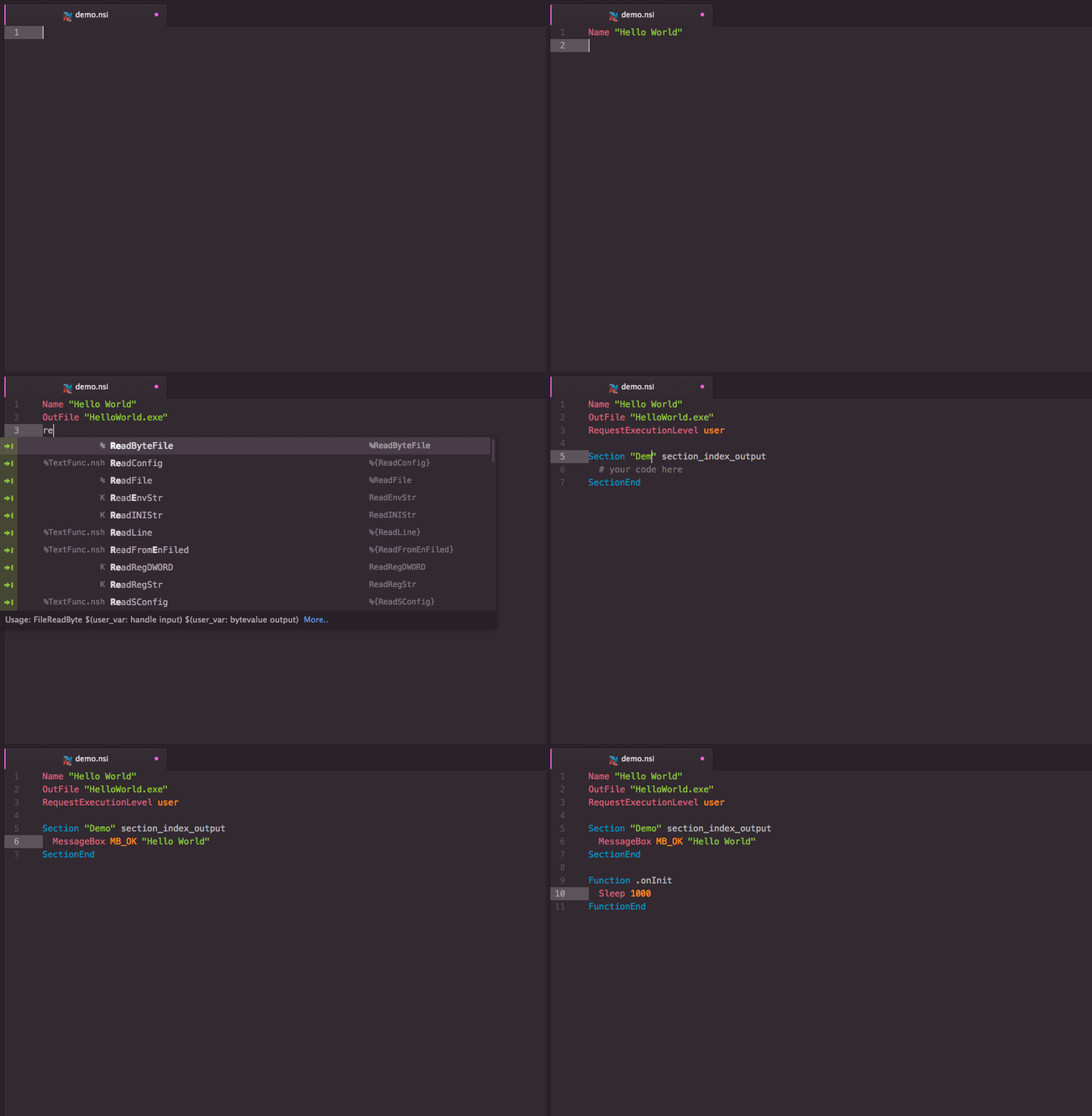
Completions
Tab-completions for syntax, useful snippets for quick scaffolding
Extension Packages
You can further extend #nsis support in Atom.
Installation
Atom Package Manager (apm)
Install package from apm install language-nsis (or use the GUI)
Git
Change to the Atom package directory and clone the repository:
git clone https://github.com/idleberg/atom-language-nsis.git language-nsis
Usage
Completion
With most commands, you can specify available options before completion. For instance, rather than completing RequestExecutionLevel and then specifying an option, you can directly choose RequestExecutionLevel user from the completion menu.
To complete compile time commands, variables or predefines, *leave out* special characters:
includecompletes to!includeINSTDIRcompletes to$INSTDIRNSIS_VERSIONcompletes to${NSIS_VERSION}`
However, you have to type __LINE___ to complete to ${__LINE__}.
There are several special cases for your convenience:
MB_OKcompletes toMessageBox MB_OKonInitcompletes to aFunction .onInitblockLogicLibcompletes to!include "LogicLib.nsh"`
Building
This package comes with support for atom-runner to let you compile scripts within Atom. Once atom-runner is installed, you can use the default shortcut Ctrl+R to compile open scripts. Make sure to save new scripts before trying to compile them.
